

Wifi Digital Microscope For Multi-functional Skin Test
Wifi Digital Microscope For Multi-functional Skin Test
Features
Capture images and video
Magnification of 100X (optical)
Real-time observation
Taking photos and videos
Ultraviolet light effect
Polarization effect
Application
Dermatology department
Check the skin
Electronic medical records (EMR)
Medical spa
Hospitals and clinics
Medical colleges
Beauty salon
Beauty institutions
Beauty sales
Specification
Sensor: high-performance sensor
Main chip: 24Bit DSP
Magnification: fixed 100X
Photo/video: supported
Light source: a variety of special LEDs
Static resolution: 1280x7
Digital zoom: supported
Unique technology: UV and polarized light
Image resolution: 1280x7
CD: contains Android APP User Manual
Support systems: Android 4.0 and above, IOS 8.0 and above
Battery:1400m
Power supply: Micro-USB (5V DC)
Product color: Silver
Main dimensions: 160mm (length) 33mm (outer diameter)
The packing weight of the machine is 200g.
Functions
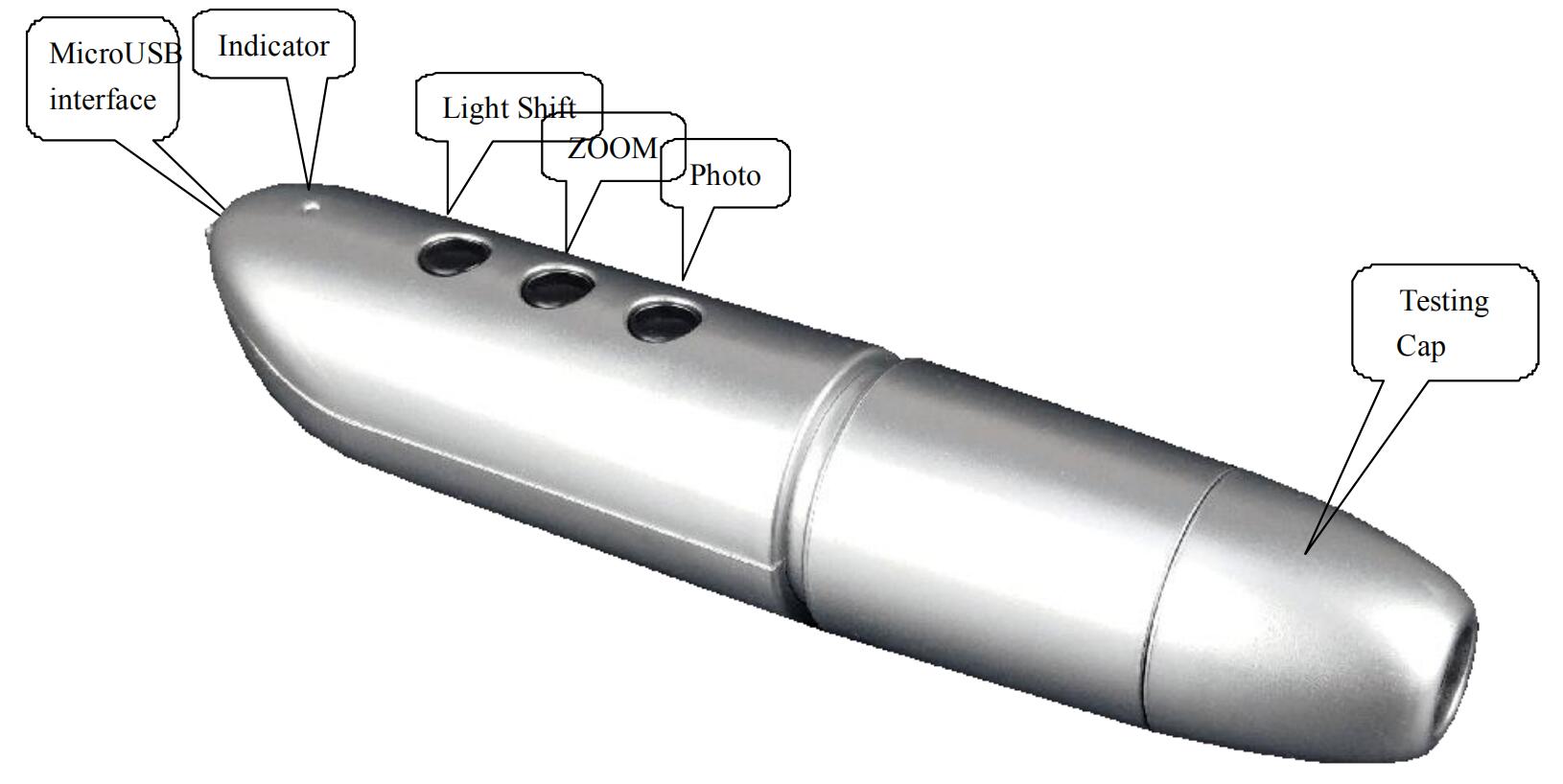
Micro-USBport: when the device power is low, connect the charger to charge the device, then the red indicator is on; When the red indicator goes off, the power become full.
It is not recommended to use the equipment during the charging process (it will reduce the service life of the equipment battery).
Power switch / Mode Switch: long-press this button for 5 seconds to switch on the device, then green indicator is on and flashing; After 20 seconds, the WIFI function starts. Open your IOS/Android device WIFI and search for a WIFI hotspot named UMW10 (unencrypted). The green indicator stops flashing when the connection is successful.In case of connection, press the button to switch to different modes, white lights, polarizing, UV lights, no lights..
Status indicator: the green light starts and flashes when the device is turned on, indicating that the device is waiting for the connection. When the WIFI connection is successful, the green light stops flashing. When charging the device, the red light is on, when the battery is full, the red light goes off. When the battery is low, the machine automatically shuts off, and all lights go off.
Digital zoom: click this button to enlarge the picture when the device is connected.
Photo/video: click this button to take a photo and save automatically when the device is connected. Press this button for 5 seconds to enter the video mode. After releasing the key, it stays in the recording mode. Then press this button again for 5 seconds to exit the video mode and automatically save the recording of video in this period. Photos and video are stored on IOS/Android devices and can be viewed with the relevant APP.
Testing Cap: In case of connection, put the object to the hole of the testing cap, the object can be seen on the screen of the IOS/Android device.
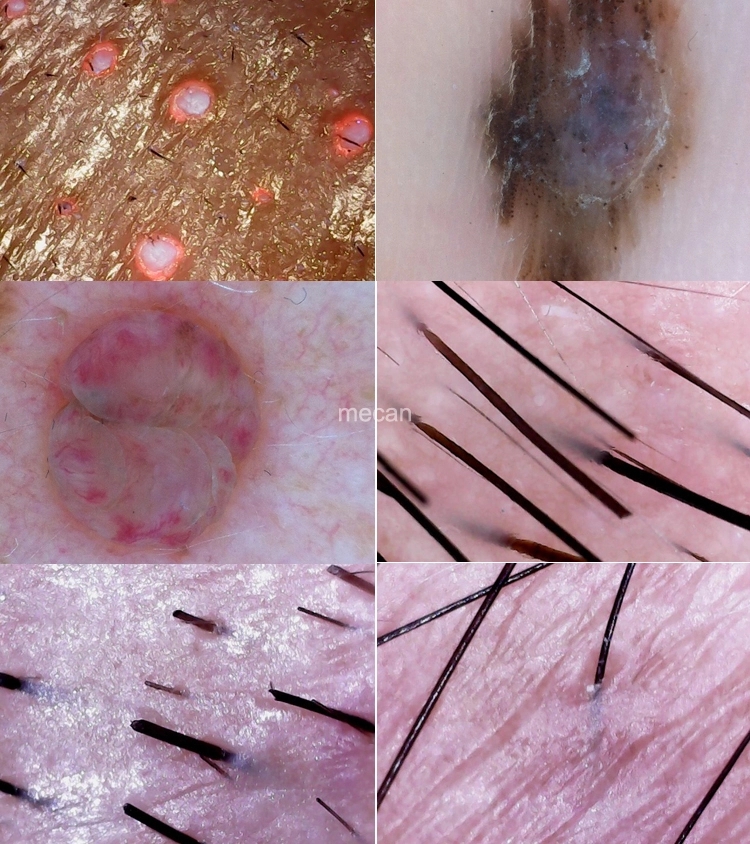
Image of skin inspection